What’s New: Self-Service Subscription Upgrades
We’re excited to introduce a new feature allowing you to request a subscription upgrade directly from your account settings. This makes it easier than ever to get the access you need from Composites AI.
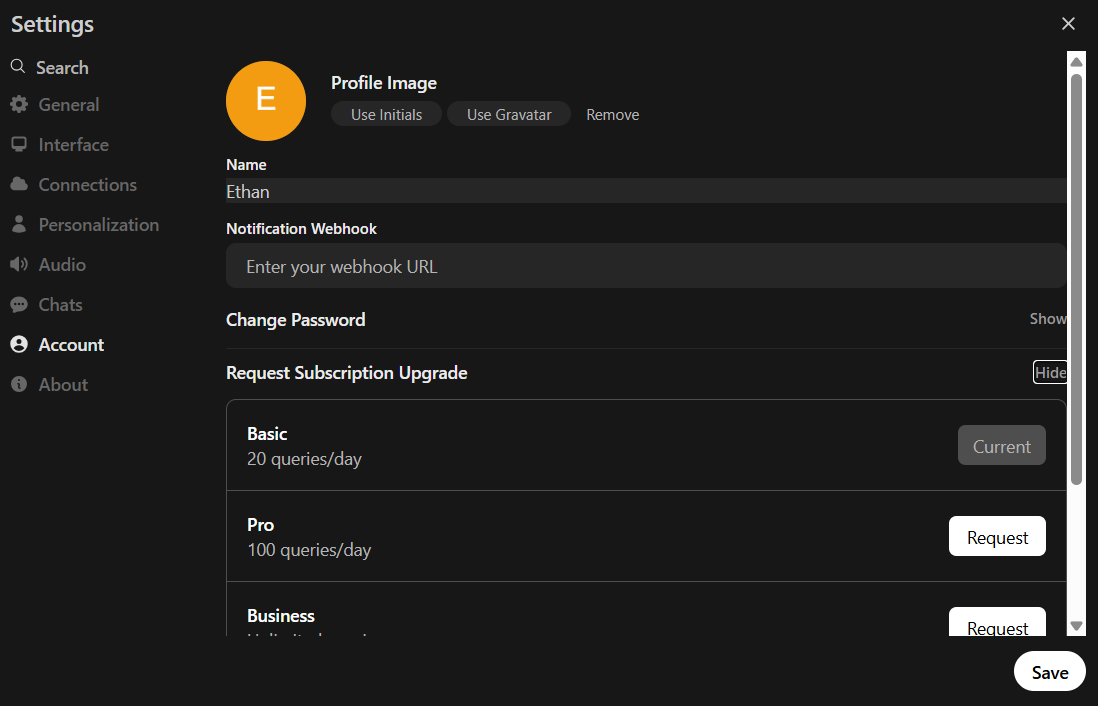
Subscription Tiers at a Glance
-
Basic: 20 queries per 24 hours
-
Pro: 100 queries per 24 hours
-
Business: Unlimited queries
*There is no payment necessary as of now
How It Works
-
Log in to your Composites AI account on compositesai.com
-
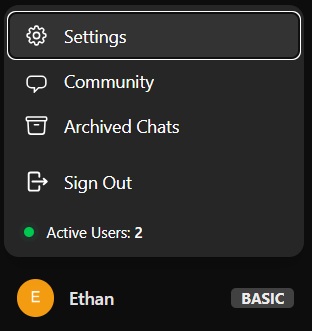
Navigate to Settings > Account > Request Subscription Upgrade.
-
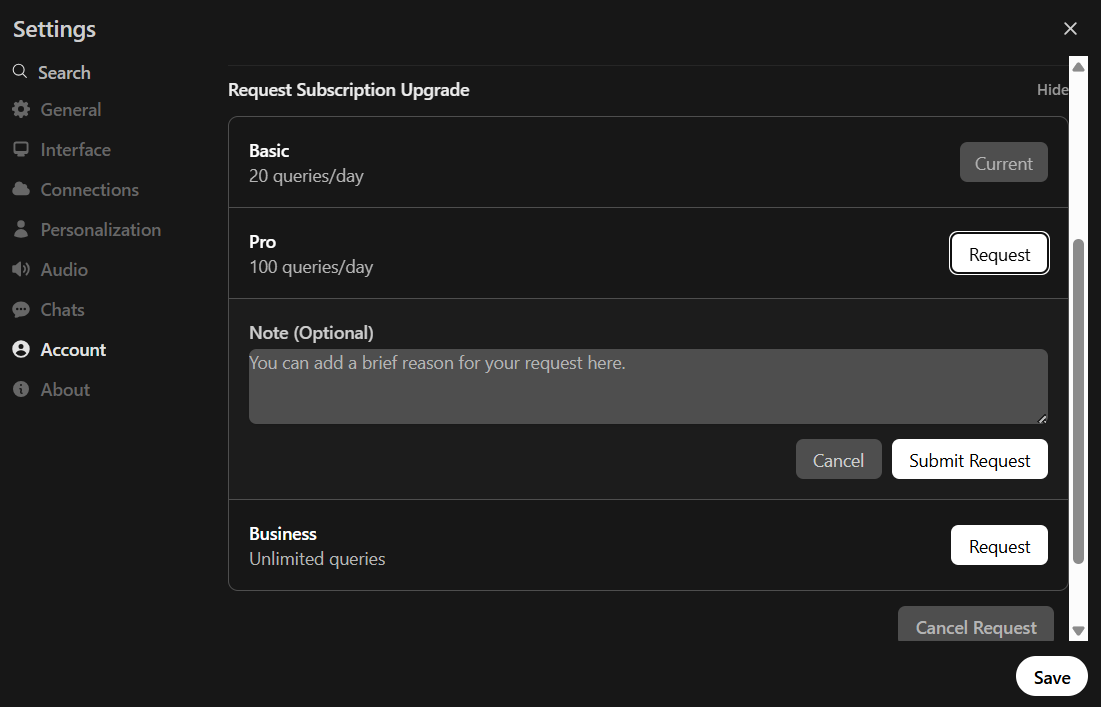
Click “Request”, add an optional note to the admin team, and click “Submit Request”.
What to Expect After Requesting
-
Confirmation: You will immediately see a notification that your request was received.
-
Admin Review: Your request will be reviewed by our team’s administrators. Expect the request to be reviewed within 24 hours.
-
Final Notification: The next time you log in or refresh the page, you will be notified if the request was approved or denied. This notification may include a note from the admin.
-
Cooldown Period: Please be aware there is a 24-hour cooldown after submitting or cancelling a request before you can make a new one.
This feature is now live. As always, let us know if you have any feedback.