We have resolved the issue that was restricting users to the base CompositesAI model. The model selector is now fully functional, giving you access to the full range of specialized models created by our domain experts.
How to Switch Models
1. Locate the Dropdown
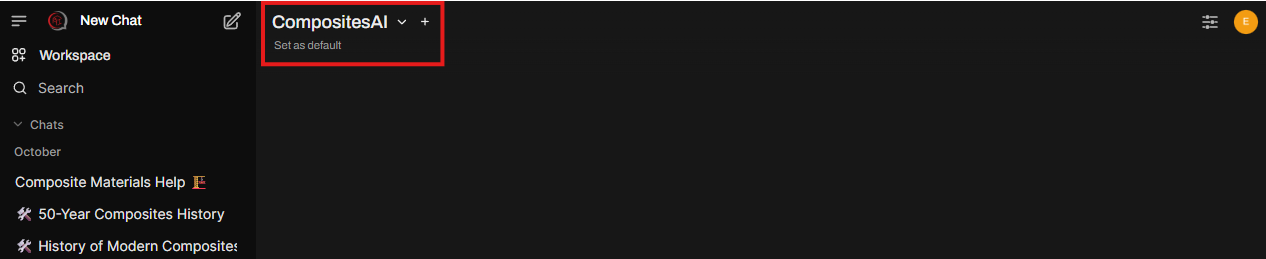
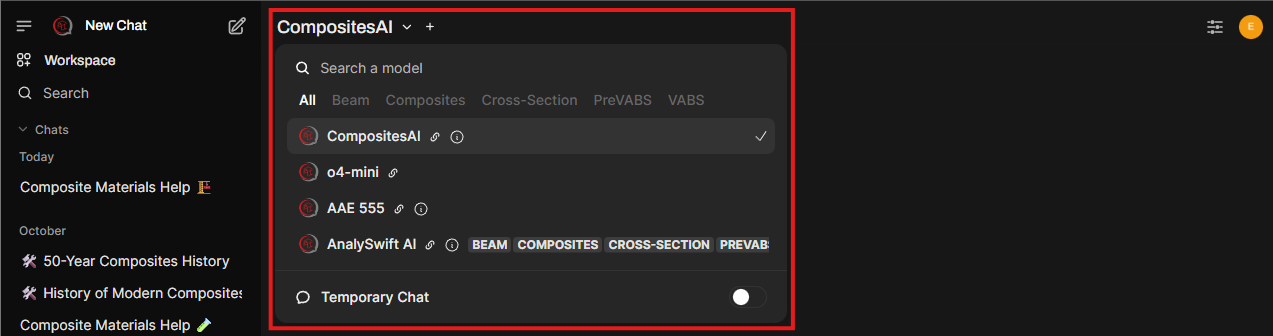
At the top of any new chat, click the model name to open the selection menu.
2. Explore Model Capabilities
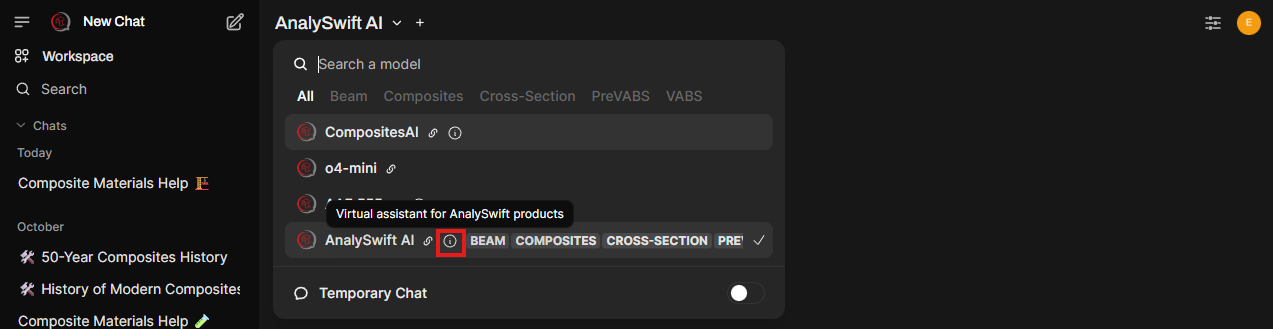
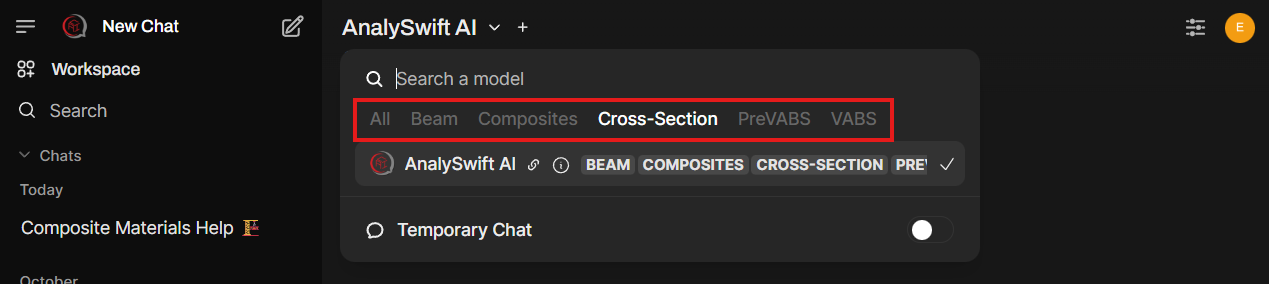
Browse the list of available expert models. Hover over the information icon ( i ) to read a brief description of what each model specializes in or filter by tags to narrow down your search.
3. Set Your Preference
Once you find a model you prefer, you can make it your primary model. Simply click “Set as default”, and it will be automatically selected whenever you start a new conversation.

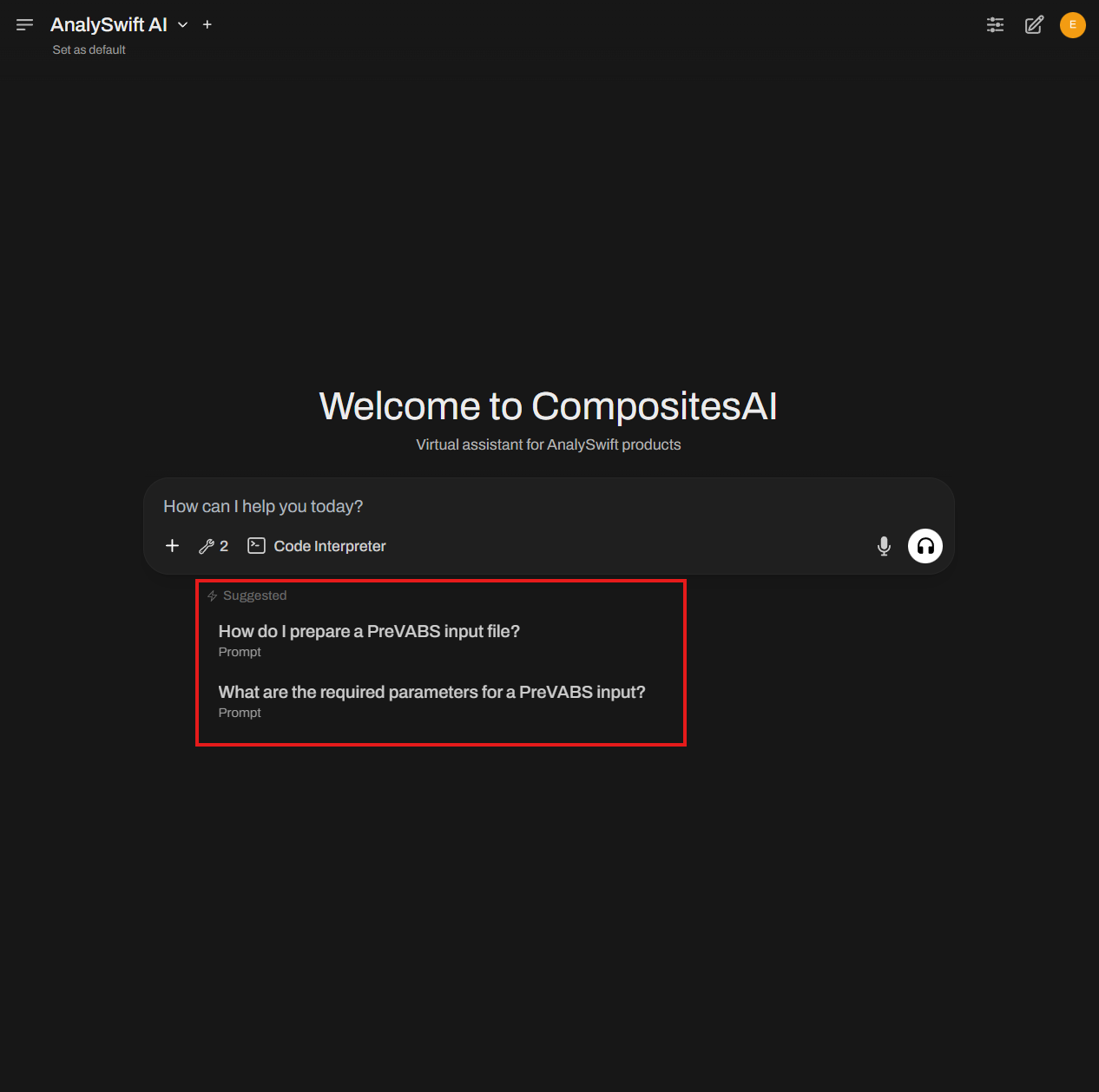
4. Get Started Quickly
Not sure what to ask? Click on one of the Suggested Prompts to see the model in action and understand its specific strengths.
Have feedback?
If you encounter any issues with specific models or have a request for a new domain capability, please let us know by replying to this topic!