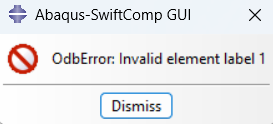
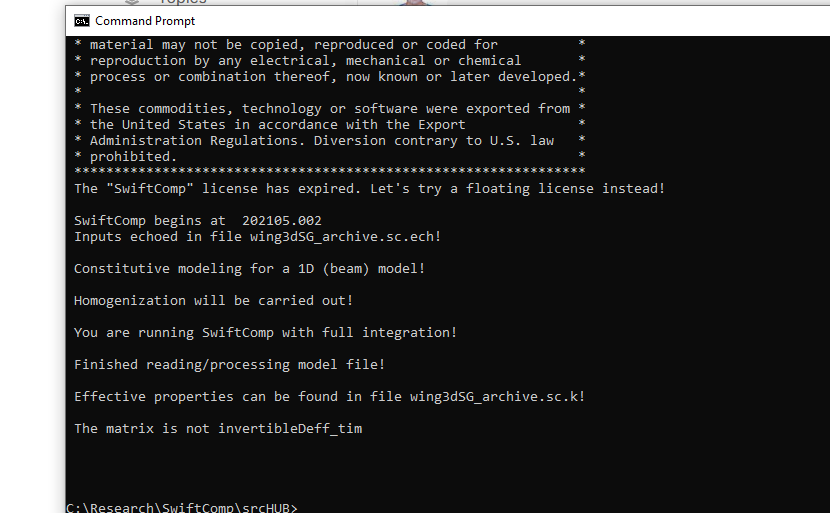
I am trying to get contour plots of stress for my 3D SG using the Abaqus-SwiftComp GUI but it seems I am getting all kinds of errors, like the one below.
 SwiftComp begins at  171647.655
 Inputs echoed in file wing3dSG_archive.sc.ech!

 Constitutive modeling for a 1D (beam) model!

 Dehomogenization will be carried out!

 You are running SwiftComp with full integration!

 Finished reading/processing model file!

 Local fields can be found in file wing3dSG_archive.sc.u and wing3dSG_archive.sc.sg and wing3dSG_archive.sc.sn!

 Local fields in material coordinates can be found in wing3dSG_archive.sc.snm  and  wing3dSG_archive.sc.sgm!

 I/O error: Global variable in stress/strain
What does I/O error: Global variable in stress/strain mean?
Below is simple example (added .txt extension): spar3d.sc.txt (101.7 KB)
What I have done is:
Using K file from swiftcomp output to run analysis using GEBT, which generates output file for the macroscopic beam.
What I want to do is:
Using the output file from GEBT which contains the 1D microscopic beam analysis result to run dehomogenization using SwiftComp.
Using the dehomogenization output for visualization.
For now I do not have the dehomogenization output needed for visualization because of the errors.
Please read SwiftComp manual to understand what you are doing. Try to link what you are trying to do in the corresponding equations of your theory. If you know the theory, they you can understand the error and correct your inputs.
@su.tian.22
I used a quadratic mesh containing wedge15 elements but it seems that sgio does not recognize this element type.
Traceback (most recent call last):
  File "<frozen runpy>", line 198, in _run_module_as_main
  File "<frozen runpy>", line 88, in _run_code
  File "D:\Users\liu3856\AppData\Local\Programs\Python\Python311\Lib\site-packages\sgio\__main__.py", line 6, in <module>
    cli(*sys.argv)
  File "D:\Users\liu3856\AppData\Local\Programs\Python\Python311\Lib\site-packages\sgio\app.py", line 119, in cli
    main(func, **vars(pargs))
  File "D:\Users\liu3856\AppData\Local\Programs\Python\Python311\Lib\site-packages\sgio\app.py", line 139, in main
    convert(
  File "D:\Users\liu3856\AppData\Local\Programs\Python\Python311\Lib\site-packages\sgio\iofunc\main.py", line 682, in convert
    sg = read(
         ^^^^^
  File "D:\Users\liu3856\AppData\Local\Programs\Python\Python311\Lib\site-packages\sgio\iofunc\main.py", line 84, in read
    sg = _abaqus.read(
         ^^^^^^^^^^^^^
  File "D:\Users\liu3856\AppData\Local\Programs\Python\Python311\Lib\site-packages\sgio\iofunc\abaqus\_abaqus.py", line 88, in read
    mesh, materials, mocombos = process_mesh(inprw)
                                ^^^^^^^^^^^^^^^^^^^
  File "D:\Users\liu3856\AppData\Local\Programs\Python\Python311\Lib\site-packages\sgio\iofunc\abaqus\_abaqus.py", line 451, in process_mesh
    mesh = Mesh(
           ^^^^^
  File "D:\Users\liu3856\AppData\Local\Programs\Python\Python311\Lib\site-packages\meshio\_mesh.py", line 146, in __init__
    cell_block = CellBlock(
                 ^^^^^^^^^^
  File "D:\Users\liu3856\AppData\Local\Programs\Python\Python311\Lib\site-packages\meshio\_mesh.py", line 99, in __init__
    self.dim = topological_dimension[cell_type]
               ~~~~~~~~~~~~~~~~~~~~~^^^^^^^^^^^
KeyError: 'wedge15'
Because the geometry is complex, it’s hard to generate a high quality mesh without wedge elements. Is there an easy way to fix this?
@su.tian.22@Wenbin
I am kind of baffled by swiftcomp complaining about distorted elements, because
Homogenization never complains about distorted elements and successfully completed the analysis.
The mesh quality has already been improved, and it passes the mesh quality check on abaqus and there is no distorted element.
The question is why does swiftcomp still complain about distorted element? Is there any workaround?
The error info is shown below.
command: swiftcomp wing3dSG_adjusted.sc 1D H

 SwiftComp begins at  174437.937
 Inputs echoed in file wing3dSG_adjusted.sc.ech!

 Constitutive modeling for a 1D (beam) model!

 Homogenization will be carried out!

 You are running SwiftComp with full integration!

 Finished reading/processing model file!

 Effective properties can be found in file wing3dSG_adjusted.sc.k!

 Finished homogenization!

 SwiftComp ends at  174515.603
 SwiftComp finished successfully!

command: swiftcomp wing3dSG_adjusted.sc 1D L

 SwiftComp begins at  174547.983
 Inputs echoed in file wing3dSG_adjusted.sc.ech!

 Constitutive modeling for a 1D (beam) model!

 Dehomogenization will be carried out!

 You are running SwiftComp with full integration!

 Finished reading/processing model file!

 Local fields can be found in file wing3dSG_adjusted.sc.u and wing3dSG_adjusted.sc.sg and wing3dSG_adjusted.sc.sn!

 Local fields in material coordinates can be found in wing3dSG_adjusted.sc.snm  and  wing3dSG_adjusted.sc.sgm!

  determinant of Jacobian matrix less than 0 for element         501. The first several nodes of distorted  element are:       18871   0.0000000000000000        4.1785046499999999E-002  -8.7108490999999993E-003       91588   0.0000000000000000        4.1499
@Wenbin
The file that I was using (wing3dSG_adjusted.sc) has very fine mesh, so I uploaded the one with coarser mesh.
You can download the sc file from here wing3dSG_archive.sc
That is strange. I can download my own file using the link. If that doesn’t work for you, you may create wing3dSG_archive.sc.glb and copy the content below to wing3dSG_archive.sc.glb.